How To Split Amazon Payment Between Two Credit Cards
A simple workaround to split payment across multiple credit cards on Amazon using gift cards.
In the process of purchasing all the new goodies for my new place I decided now would be a good time to exercise a line of credit through Amazon. Unfortunately Amazon gave me a lackluster credit limit that only covers about 1/4th of my carts total.
I now need to split the payment across two payment methods. The credit card issued by Amazon and my Visa debit card. This is problematic because while Apple’s online store offers a way to do this, Amazon does not. Fear less, I’ve figured out a simple way around this limitation by using Amazon’s Gift Card.
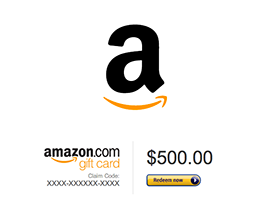
Purchase this Amazon Gift Card with one payment source. In my case I purchased a gift card with my Visa debit card.
Select the email gift card, set the amount, and send the gift card to yourself. You will be emailed a code. Copy that code as we will use in the next step.
- It can take up to 15 minutes to receive the gift card.
- It appears $2,000 is maximum gift card amount you can purchase.
- This is not limited to two payment sources. You can purchase a gift card with each payment source you have.
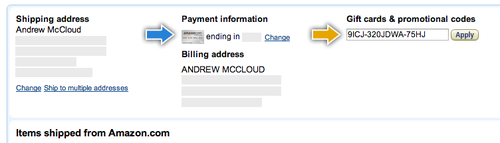
Now that you have your gift card code, when you go to select the payment options for your cart you’re able to select a primary payment source, in my case my Amazon credit card.
Then input all of your Amazon gift card codes as secondary payment source.
Update. I’ve also created a video tutorial.
That’s all there is to it. Hope this hack helps!